
Unified Communications
Every conversation.
One workspace.
Bring business calling, team chat, video meetings, and shared files together with Cloudway Elevate. Give your people a connected way to work across the office, home, and everywhere in between.
Cloudway Elevate
Desk
Desktop
Mobile
Work across devices
Your workday goes with you.
Keep familiar business communication tools within reach, wherever your team works.
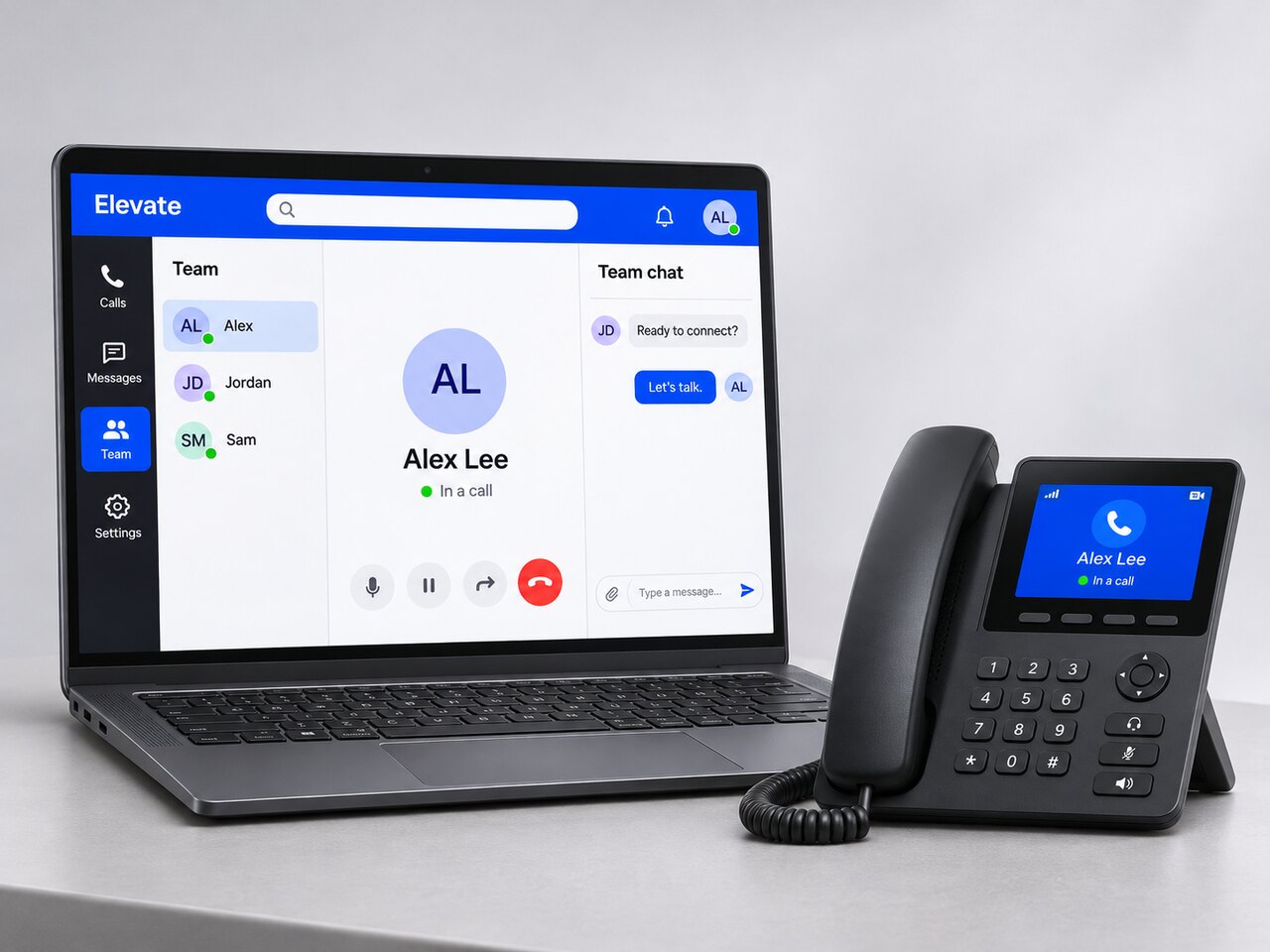
At your desk
Preconfigured desk phones connect to Cloudway's cloud service for a familiar calling experience and straightforward deployment.
On your computer
Use the Elevate Desktop App on Mac or PC to make calls, chat with colleagues, join meetings, and share files.
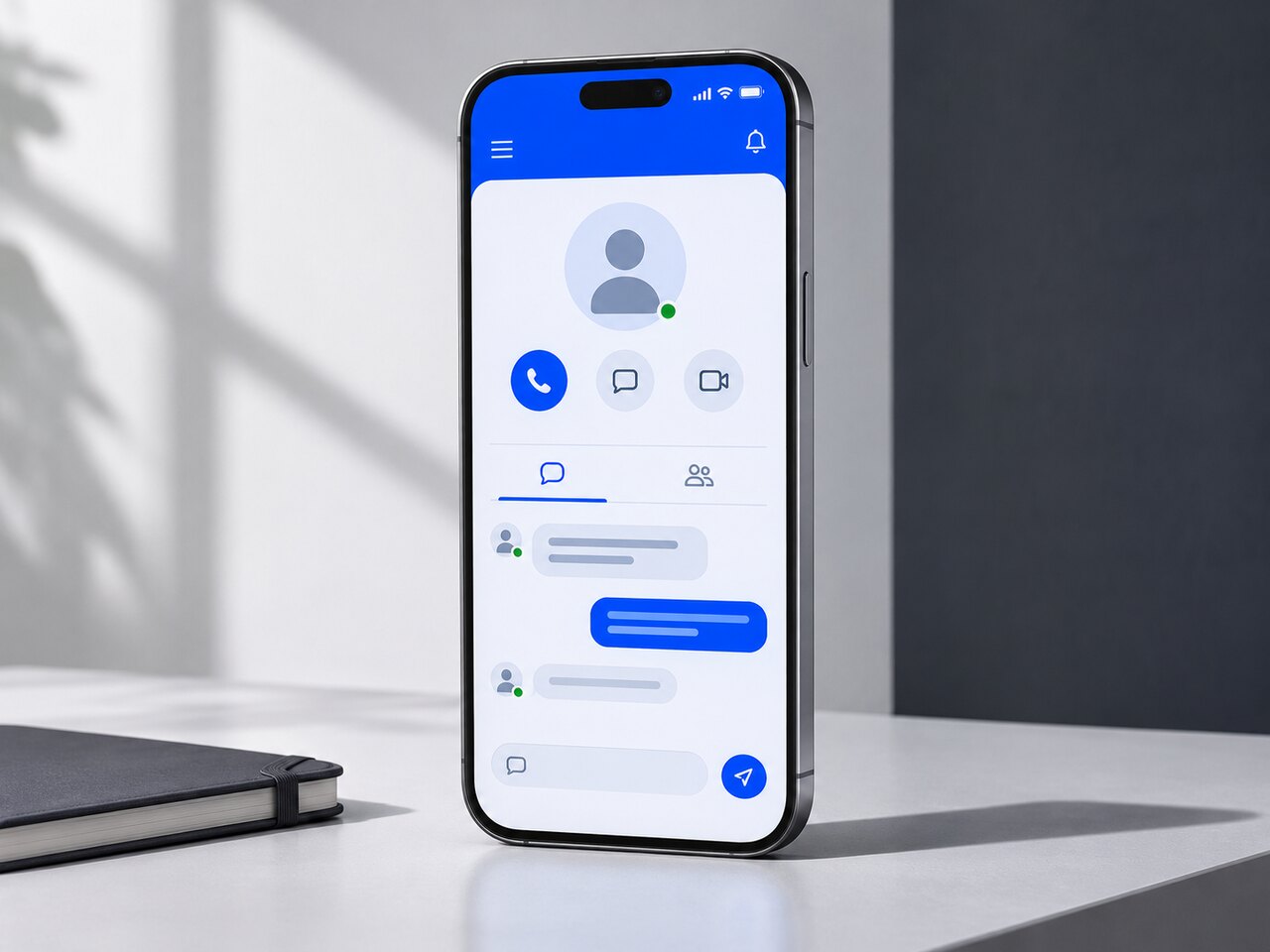
On the move
The Elevate Mobile App brings calls, chats, and messages to iOS and Android, keeping business conversations close when work takes you elsewhere.
iOS
Android
Made for your workday
The tools behind better teamwork.
Move from the first call to a shared idea without scattering the conversation across disconnected tools.
Business calling
HD voice and 90+ business phone features support everyday conversations. Auto attendants welcome callers and route by business hours; hunt groups send calls to the right team.
A connected calling experience
Auto attendants
Business hours
Hunt groups
Chat and presence
Use individual and group messages for quick coordination. Available, busy, and offline status helps colleagues choose the right moment to connect.
Meet and collaborate
Bring people together in HD video meetings with screen sharing, then keep shared files accessible for collaboration and backup.
Connected workflows
Make Elevate work your way.
Add the capabilities that suit the way your people and customers communicate.
01
Calling inside Microsoft Teams
Bring Cloudway calling into the Teams workspace your people already know. Supported integrations add call queues, SMS, and supervisor tools to monitor, whisper, or barge into calls.
02
Company Messaging
Let customers reach your main business number by SMS or MMS. Give business texting a connected place alongside your other conversations.
03
Elevate Rooms
Connect colleagues in a meeting room with remote participants through video collaboration and secure screen sharing.
Cloudway Search & Retrieve
Keep the conversation. Find what matters.
Connect a Cloudway-ready archive to capture and organize supported communications, with searchable records and retention options built around your business.
WORM protected storage is an optional configuration. Ask about the setup, policies, and agreements needed for HIPAA, FINRA, MiFID II, or SEC Rule 17a-4 workflows.
Search & Retrieve
Capture and organize
Bring supported communication records into one archive for clearer tracking and long-term retention. Discuss the integration and setup needed for your Cloudway service.
Search with context
Use indexed content, metadata filters, and record properties to find relevant conversations across your archive.
Configure retention
Choose retention and protected-storage options around your recordkeeping and regulated-workflow needs.
Simple to run
More visibility. Room to grow.
Support distributed teams with central administration, useful analytics, and assistance when it matters.
One administration portal
Onboard people, configure services, and manage users and devices as your team changes.
Real-time analytics
See activity and performance clearly so administrators can spot issues and make informed decisions.
Reliable support
24/7 phone or chat assistance and an SLA-backed 99.999% uptime commitment support day-to-day continuity, subject to your applicable service agreement.
Unified Communications FAQs
A clearer connection starts here.
Practical answers about Elevate, devices, integrations, and getting started.
What is Cloudway Elevate?
Elevate brings calling, team messaging, video meetings, and file collaboration into one platform. It supports everyday teamwork across devices, with connected contact centre capabilities available when your customer-service needs grow.
Which devices can our team use?
Use preconfigured desk phones, the Elevate Desktop App on Mac or PC, and the Elevate Mobile App on iOS or Android. These options support office, remote, and mobile teams. Confirm compatibility before reusing existing phones.
Can customers text our main business number?
Company Messaging supports SMS and MMS through your main business number. Ask Cloudway about eligible numbers, message allowances, and the setup required for your service.
Can we keep using Microsoft Teams?
Supported integrations bring calling, queues, SMS, and supervisor call tools into Teams. Some options do not require an extra Teams Phone licence, but Microsoft 365 and the relevant communication and integration licences still apply.
Can we search and retain past communications?
Cloudway Search & Retrieve captures supported records and provides content and metadata search. Confirm record types, retention periods, access controls, and any protected-storage options for your service before selecting the configuration.
How are business communications protected?
Cloudway describes user-access protection, encryption, application security practices, and monitored cloud infrastructure. For regulated workflows, confirm the services, settings, policies, and agreements needed for your organization.
What should we share when we contact Cloudway?
Tell us your user count, current phone setup, working locations, devices, and required integrations. We can discuss suitable features, current pricing, deployment needs, and service terms around the way your team works.
Build a better connection
Bring your workday together.
Tell us how your team calls, collaborates, and serves customers. We will help you explore the right Cloudway setup.